
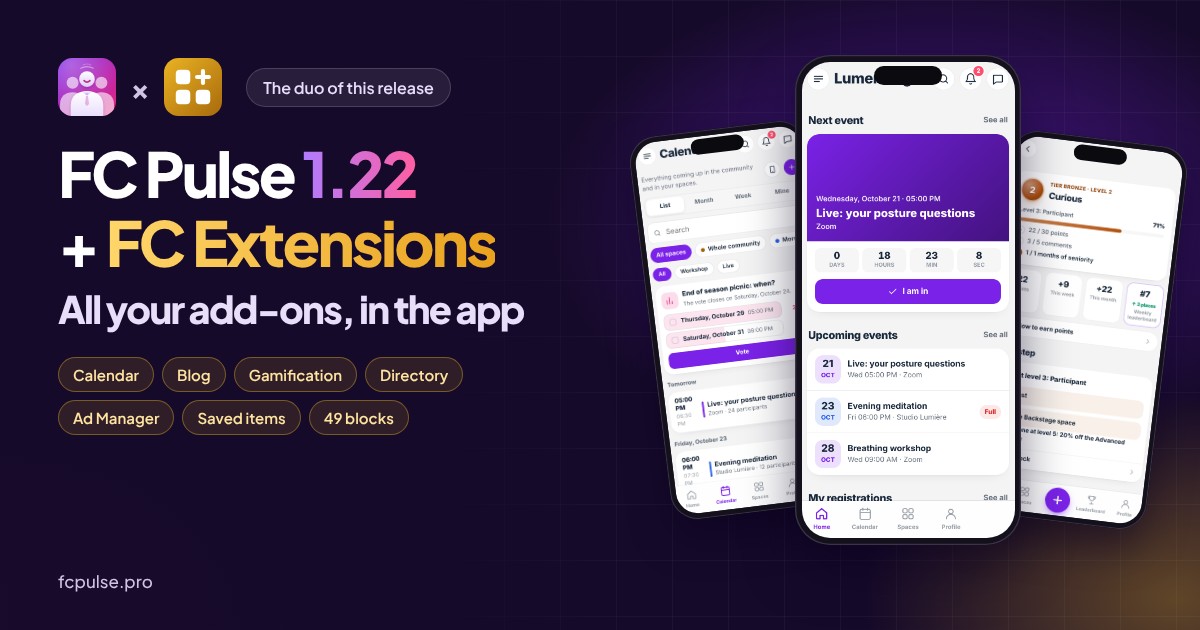
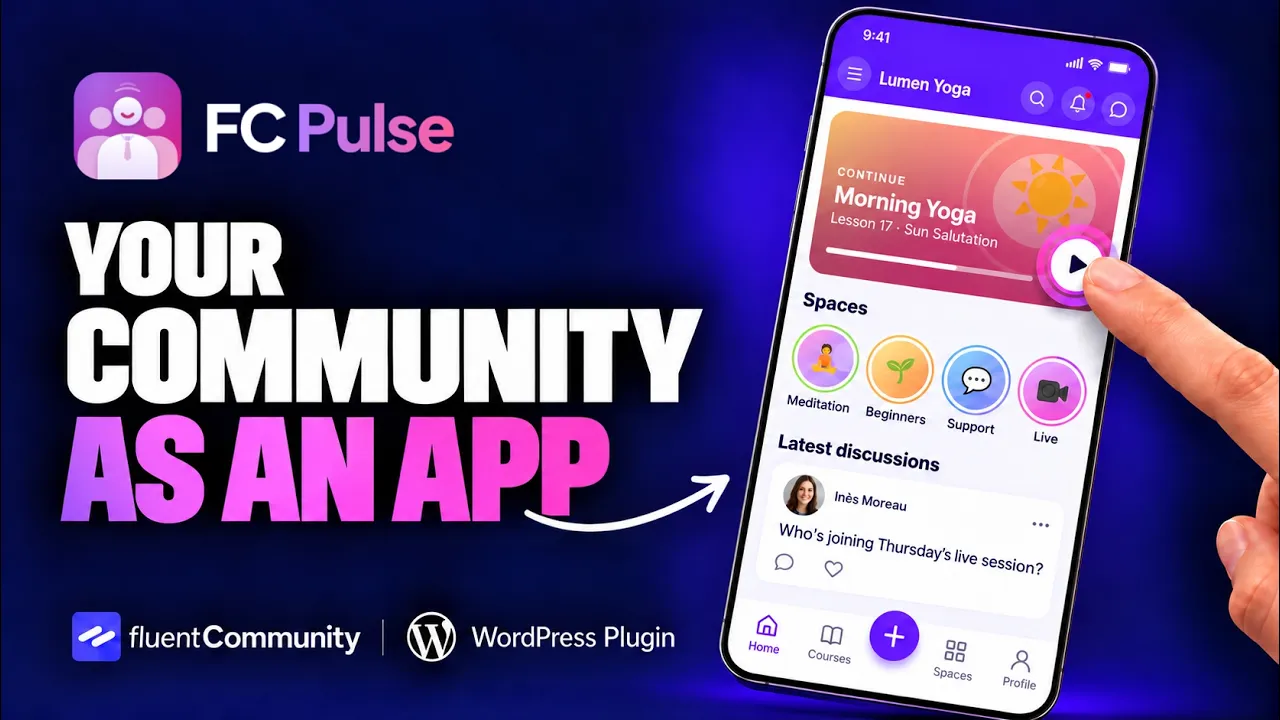
FC Pulse 1.22 is the release where FC Pulse and FC Extensions become one: all your add-ons come into the app. Your members sign up for an event, read your blog and follow their progress without leaving their phone. In total, 79 new features, 12 improvements and 7 fixes.
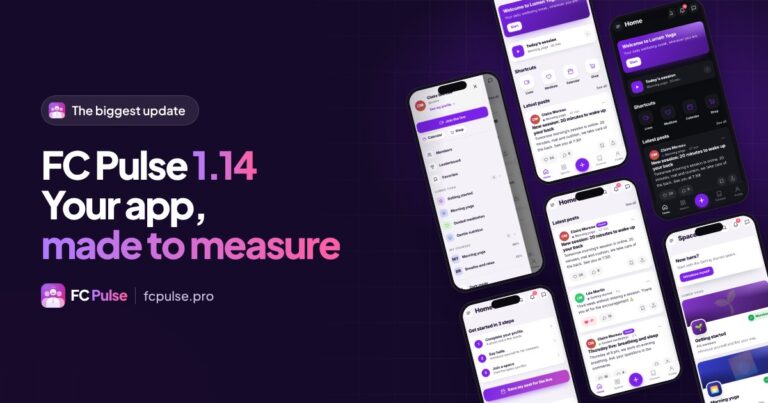
With 1.14, your community became a tailor-made app. Since then, FC Extensions has launched: a collection of add-ons for Fluent Community, from calendar to blog, from gamification to directory. They still had to land in your members’ pockets. That is what this release is all about: FC Extensions brings the features, FC Pulse makes them a pleasure on the phone, and the two now move forward together.
I did not forget those who use no add-on. Lessons get their discussion, their files and a PDF reader, writing gets more comfortable, the FluentCart shop moves into the profile, and the editor is fully reorganized.
In numbers, this release brings 79 new features, 12 improvements and 7 fixes. I present them here by theme. Every line is also in the full changelog of the release.
To see FC Pulse in motion, here is the video demo:
All your FC Extensions add-ons, in the app
Until now, an add-on installed on your site stayed on your site. With 1.22, every active add-on brings to the app what it offers your members: its blocks, its screens, its notifications and its settings.
49 blocks, designed for the phone
In the block library, a new “FC Extensions” family gathers the blocks of your active add-ons: up to 49 blocks when they all are. Upcoming events, My level, Leaderboard, Latest articles, Featured listings, First steps, Most liked… You place them on the home screen or on any page of the app, like the others.
- Everything is drawn by the app: cards, agenda, list, mosaic, progress bars, figures. The most used blocks even have their own design, like My level or Next event with its “I’m going” button.
- Content follows the place: the “Content from” setting shows the events of a space or the questions of a course. Placed in a lesson, a block shows the content of its course on its own.
- Nothing empty: a block with no content hides in the app. In the editor preview, it shows a sample so you can see how it looks.
- Future add-ons arrive on their own: an add-on that declares its blocks shows up in the library, with no need to wait for an FC Pulse update.
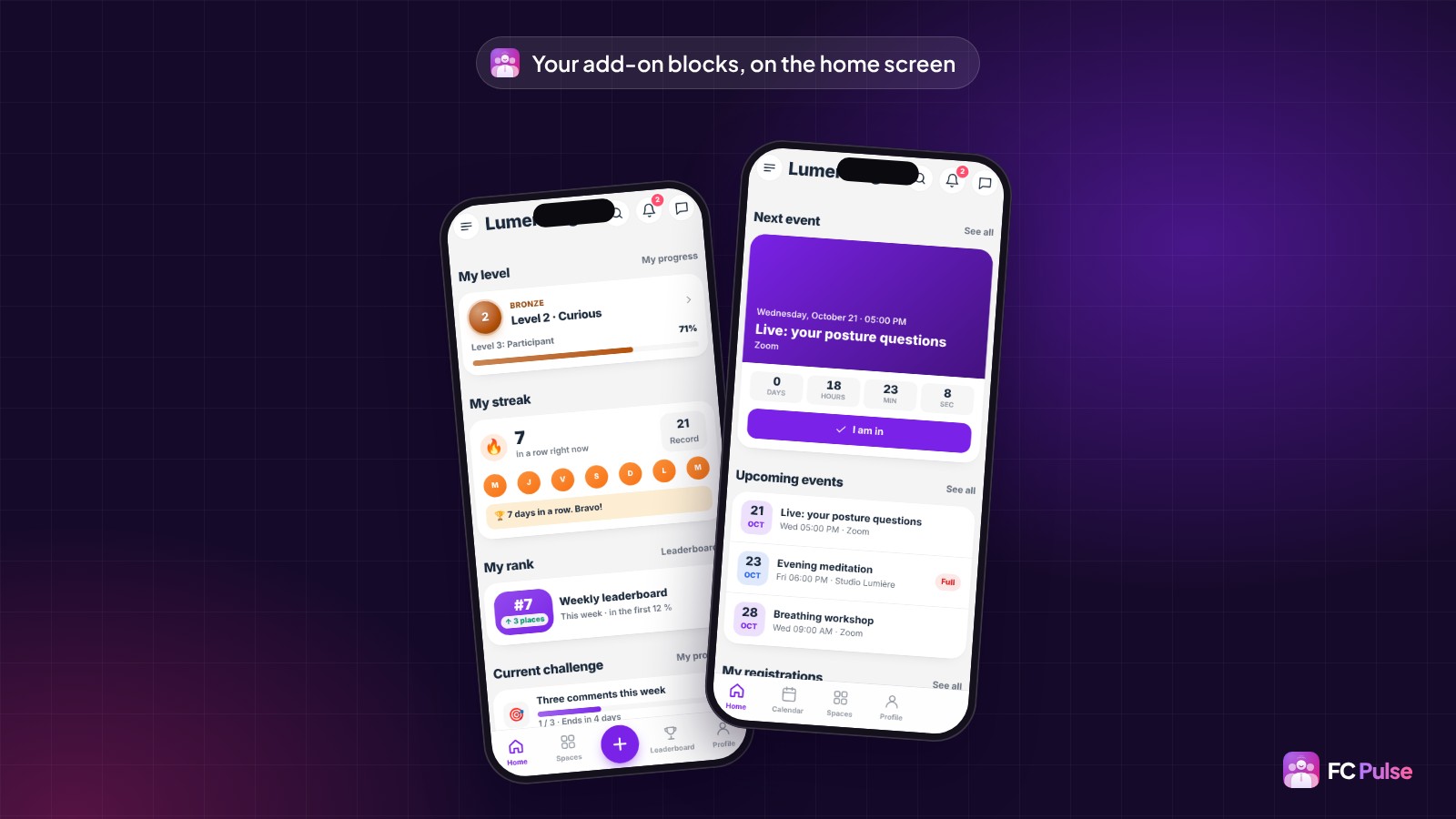
In Settings, Integrations, every installed add-on has its card. A single switch turns off everything it brings to the app: blocks, screens and menu lines.
Your events in a real Calendar
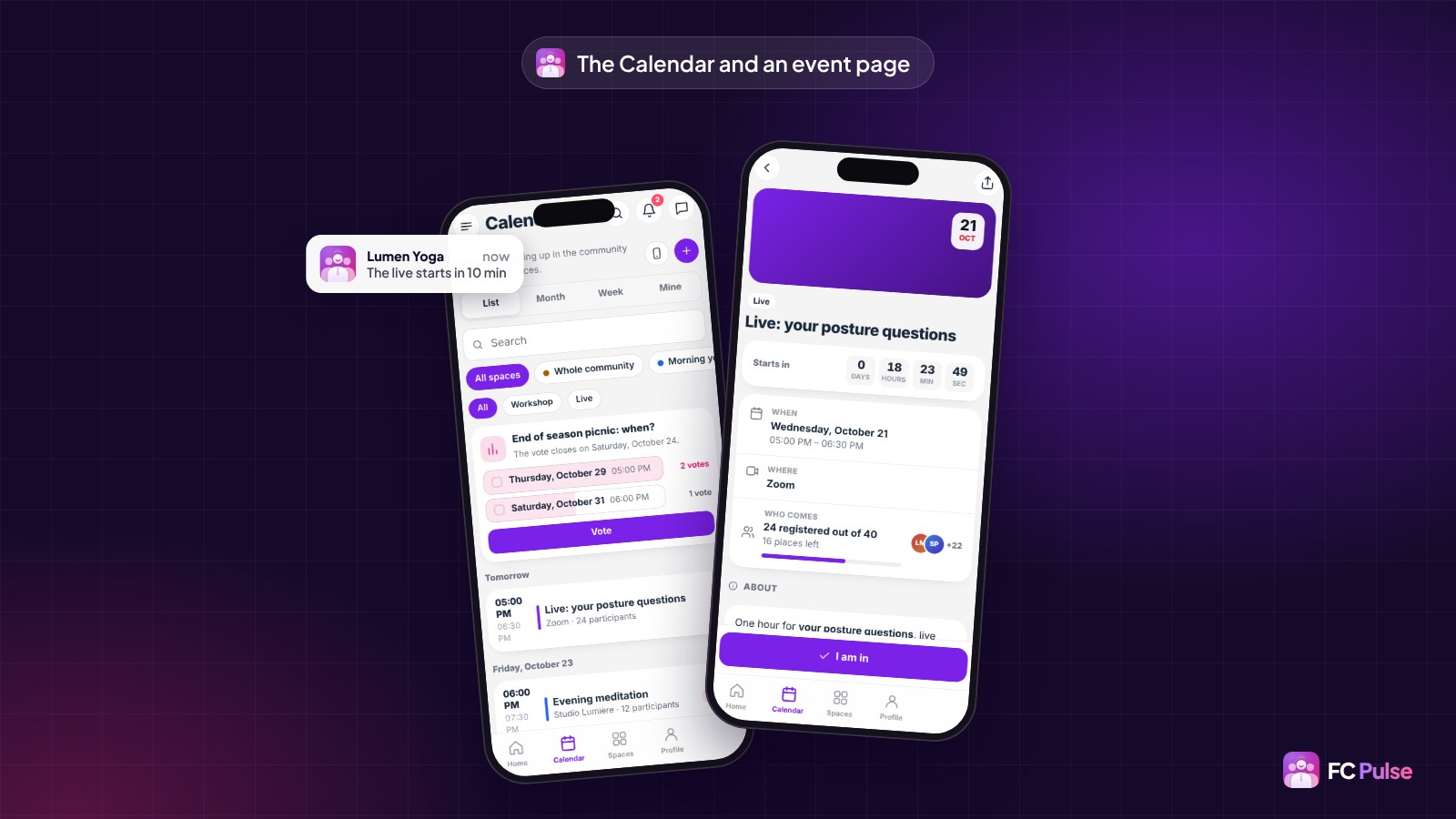
With the Events add-on, your members get a Calendar in the app, and every space gets its Calendar tab. They switch views (list, month, week, my events), search for an event, filter by space or category, and vote on the date of an upcoming meetup.
- The event page: the time in their phone’s time zone, the place and directions, speakers, materials, other dates and the discussion.
- One-tap “I’m going”, a waiting list when it’s full, and paid tickets handled in the app.
- Add to my calendar, or subscribe once and for all: “My calendar on my phone” stays up to date on its own.
- For the organizer: the list of attendees, attendance to tick, a message to write to them, and a new event created from the phone.
Reminders, a confirmed registration, a waiting list that moves, an event changed or cancelled: every notification opens the event page directly.
Your blog and collections, to read in the app
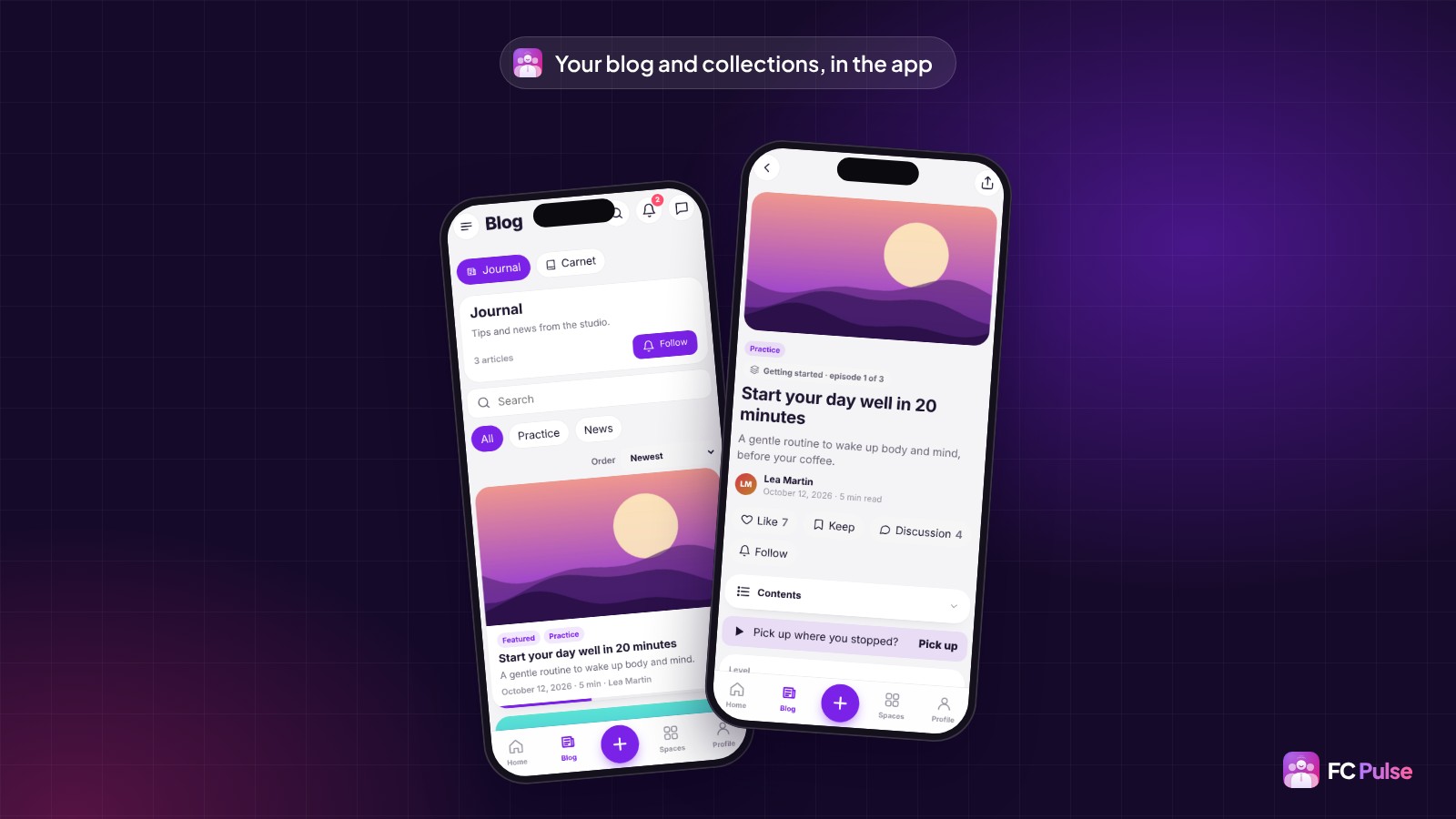
With the Blog & Collections add-on, the app gets a Blog section: your collections, a search, categories and articles. The article page shows its image, author, reading time, table of contents and the series it belongs to.
- Reading resumes where the member stopped, on the phone as anywhere else.
- Restricted content offers the visitor to join the space, buy or sign in.
- Under the article, the Discussion card shows the latest community comments, with a Follow button.
- In the side menu, each collection can have its line, and the Blog tab of a space opens in the app.
And if you use Theme Studio, one choice in Design is enough: “My community colors”. The app takes your community’s colors, fonts and corners, in light and dark, even with a scheduled theme.
Courses that make you want to keep going
A successful course is one where the student is never alone with the lesson, and always wants to move on to the next one. This release takes care of both.
Under every lesson, your students ask their questions, reply and like helpful answers. Lesson files show as on the site, with a colored badge for each type, and a PDF opens full screen in our own reader, with page number and zoom. Under the video, an “Add a note at 1:23” bar pauses the video and keeps the moment, and notes can be exported to PDF.
With the learning add-ons of FC Extensions, the app walks the student from one lesson to the next:
- “Complete and continue” in one tap, “Up next” under the lesson, and the next lesson that starts after the video;
- resume to the second, with a “Resume” card at the top of the activity feed;
- “New”, “Updated” and “Coming soon” badges on courses and lessons;
- quizzes in the app, with the score at the end;
- onboarding: the “First steps” block, a welcome message and “Introduce yourself” in two or three questions.
And to find anything, global search looks into lessons, comments, notes, saved items and pages. It forgives typos.
A livelier community
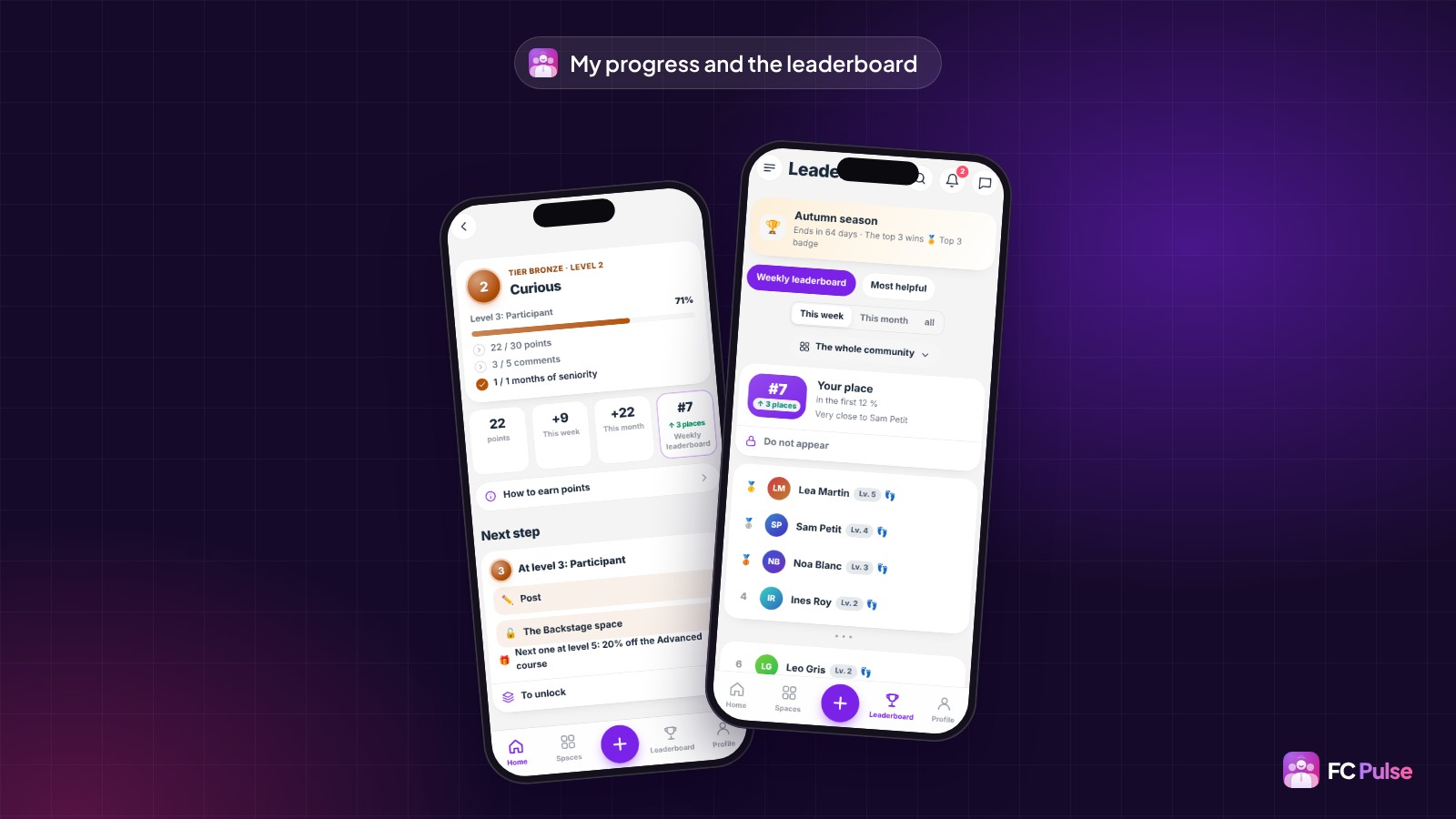
With the Gamification add-on, every member has a My progress screen: their level, what the next level unlocks, challenges, badges, rewards and history. Leaderboards can be viewed by period or by space, and a new level or badge is celebrated on screen. The profile also shows consistency: every day spent in the app counts as a day on the site.
- Your chosen reactions, with the list of who reacted and the “Most liked” block;
- birthdays: the card to sign, the cake on the photo, and “Say thanks” to everyone who sent wishes;
- space rules, which welcome newcomers and are read before writing;
- multi-post: one post in several spaces, now or later;
- sub-spaces, joined in one tap;
- saved items: a post, a lesson, a member, a listing, or even a precise moment of a video, sorted in folders.
On the profile side, everyone chooses how to appear: first name, a nickname or a brand name. They pick a cover from the community gallery, and add their birthday if they wish.
Writing with the same comfort, everywhere
All writing in the app goes through a single window, the one of “New post”. It serves for a comment, a question under a lesson, a reply, a private message, a space chat and a note.
- On iPhone, with the keyboard open, the window takes the whole screen and the text stays clearly visible. The tools move to a thin bar above the keyboard.
- Formatting: select a word and the Bold, Italic, Strikethrough, Code and Link bar appears, as in Fluent Community.
- A photo or a GIF in a comment or a reply, even without text.
- Nothing gets lost: closing without sending keeps the draft in the field.
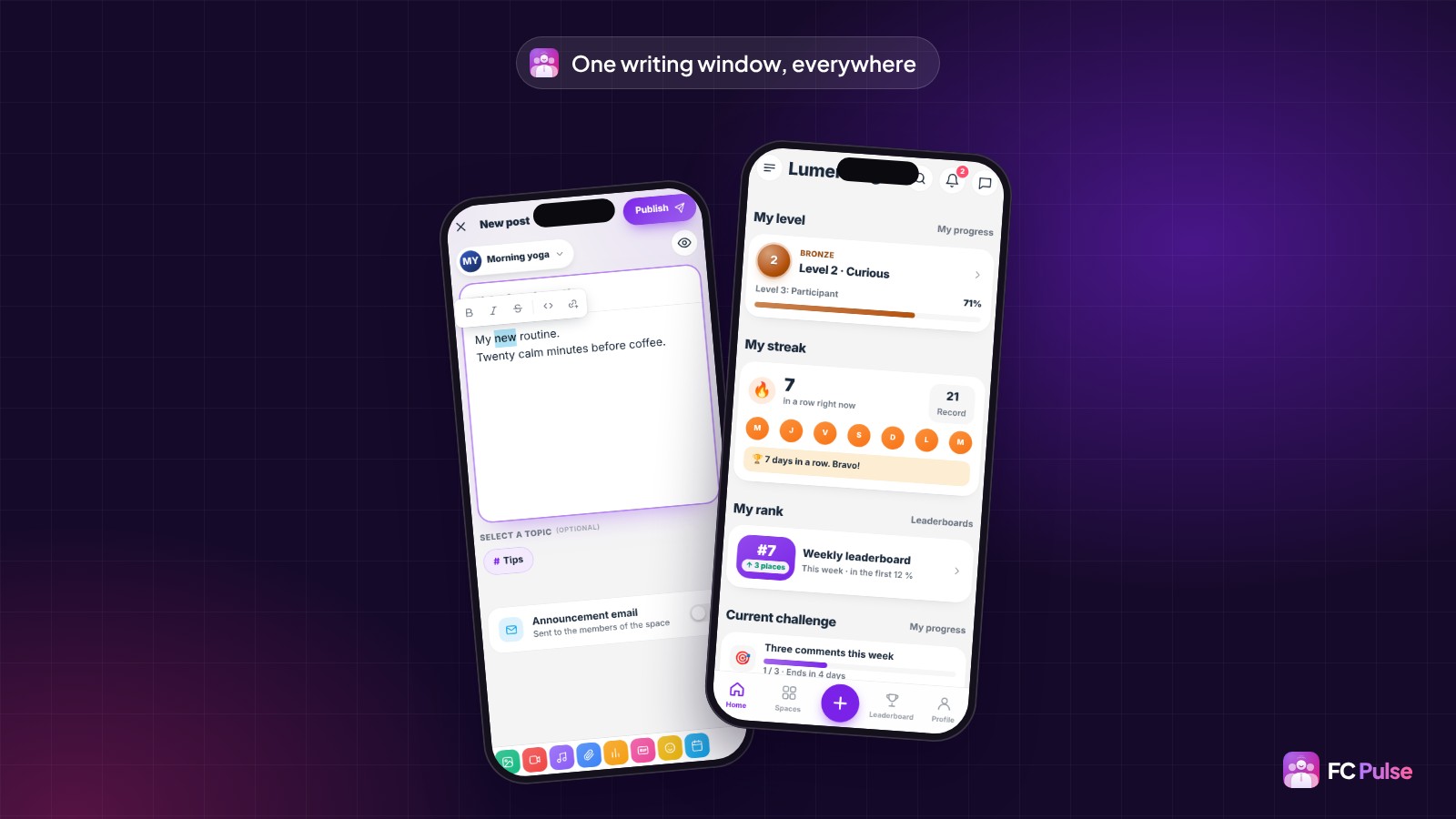
And the new posts count is now kept on the account: your members see the same in the app, in Safari and on their other devices.
Selling from the app, with no web page
If you sell with FluentCart, your customers have their customer account in the profile: purchase history, subscriptions, licenses, downloads, reviews and details. An order opens in detail with its invoice, a renewal stops after confirmation, a license key is copied in one tap. Checkout stays in the app too, then an “Order confirmed” screen leads to the order, the account or home.
Add-ons that sell use the same checkout: a Directory listing, an Ad Manager ad, an event ticket, WooCommerce access or a company’s seats.
- Directory: your members submit their listing from the app, edit it (photos, hours, prices), feature it and follow their views, clicks and messages.
- Ad Manager: Advertise, Ad-free and My ads, with the results of each campaign.
- Company Access: the manager follows the team in the “My team” screen.
A clearer editor, where every screen is configurable
With so many new screens, the editor had to stay simple. I reorganized it:
- Sections in collapsible groups: Community, Learning, Engagement, Monetization and Account.
- A new “Add a block” window, with categories in a column, a search and icons in a single style.
- Integrations as a compact list by family: settings unfold under each line.
- Every screen is set up like a section: Calendar, Blog, My progress, Directory, My notes… Its parts can be moved or hidden, with layouts to choose from.
- Every section is also a Gutenberg block and a shortcode, to show it on any WordPress page.
A detail you will like if your course images already carry their title: turn off “Title on image”, and the card shows the image sharp, with “Continue” and the progress in a light band below.
What changes for you
- Better protected sign-in. The phone’s sign-in key renews every week and is removed on sign-out. A member who has not opened the app for more than 60 days will simply need to sign in again.
- Delete your account from the app, as Apple requires for store apps: the member gets a code by email, enters it, and the account is deleted.
12 improvements and 7 fixes
Site pages opened in the app look cleaner: the Fluent Community header and bottom menu fade away, as do floating buttons from other plugins. The Back button stays in the app, the top bar stays readable with a dark theme, and a new side menu entry lands in the right place. Security was strengthened too, from links to private content.
You reported a few details after 1.14, and they are fixed:
- tapping a notification opens the content in the app, with no web page on top;
- the side menu stays in place, only its list scrolls;
- on iPhone, the home screen icon shows your logo;
- the first message to a member opens the conversation right away;
- the bottom bar stays single after joining a space;
- a lesson video takes the full width, in the right format;
- a full uninstall also removes all scheduled tasks.
The full list is in the changelog.
Update to FC Pulse 1.22 in one click
As soon as an update is available, a banner shows at the top of your FC Pulse editor, with an “Update” button. One click, and the new version installs before your eyes: a screen follows the download, installation and restart. A few seconds later, you are back in the editor.
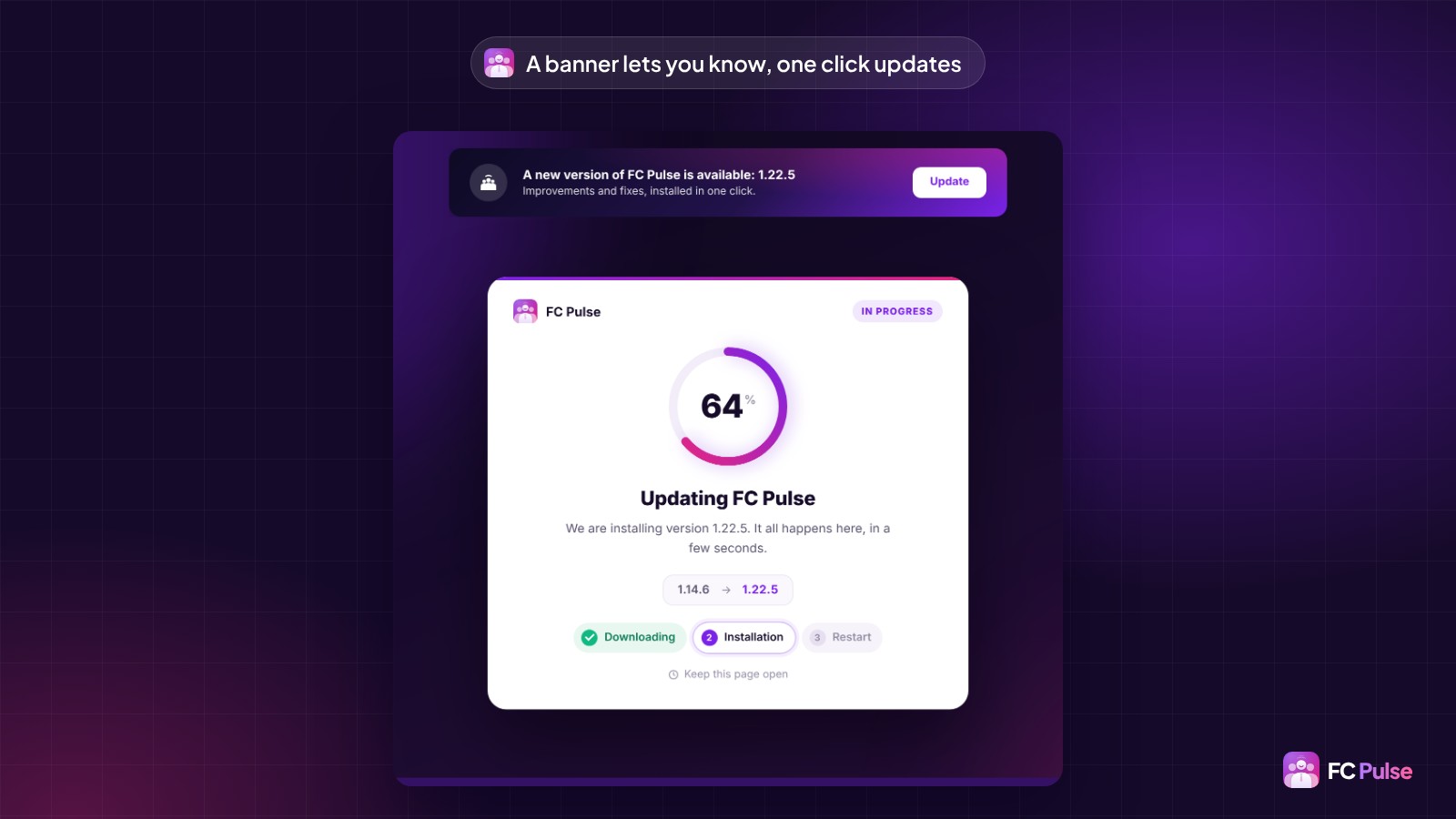
You can also update from the WordPress Plugins screen, as with any plugin. Your settings stay in place, and your members find the new features the next time they open the app.
Don’t have FC Pulse yet? The Founder offer is open during the launch, on the Founder pricing page.
Founder offer
Your whole community, in your members’ pockets
A lifetime license, at Founder pricing, for the launch period.
✓ Your FC Extensions add-ons in the app, with 49 blocks
✓ Calendar, Blog and Gamification
✓ Lessons with discussion, files and a PDF reader
✓ The FluentCart customer account in the profile
A question about this release? Ask it in the FC Pulse community.
Read also: everything FC Pulse 1.14 brought, an app for your online courses, the FAQ and the documentation, in progress.
To follow FC Pulse news and talk with other users, join the FC Pulse community on Sdravobiz.
Frequently asked questions
What does FC Pulse 1.22 bring?
79 new features, 12 improvements and 7 fixes. FC Extensions comes into the app with 49 blocks and its screens: Calendar, Blog, Gamification, Directory, Saved items, Ad Manager and many more. Courses get richer, writing gets more comfortable and the FluentCart customer account shows in the profile. The details are in the changelog of the release.
Do I need FC Extensions to enjoy FC Pulse 1.22?
No. A large part of the release serves every community: the discussion and files under each lesson, the PDF reader, the writing window, the FluentCart shop and the new editor. Features tied to an add-on show up in the app as soon as that add-on is active on your site.
How do I update to FC Pulse 1.22?
In one click. A banner shows at the top of your FC Pulse editor with an “Update” button, and the new version installs in a few seconds. You can also update from the WordPress Plugins screen. Your settings stay in place.
Do my members need to reinstall the app?
No. The installed app updates itself, and your members find the new features the next time they open it. Only a member who has not opened the app for more than 60 days will need to sign in again.
Do events and the blog open in the app?
Yes. With the Events and Blog & Collections add-ons, your members get a Calendar and a Blog in the app: the event page with “I’m going”, the article page with its table of contents, and reading that resumes where they stopped.
How much does FC Pulse cost?
FC Pulse is sold as a lifetime license, with no subscription, including updates and support. During the launch, the Founder offer has its lowest price, for a limited time. All plans are on the Founder pricing page.